 CreateGlow
Text to Video AI Free — Without Watermark
Text to video AI without watermark — type a prompt, get a video with audio. Seedance, Veo 3.1, Kling 3.0 — pick the model that fits your shot. Sign in and check your balance and generation cost. Your videos, 100% yours.
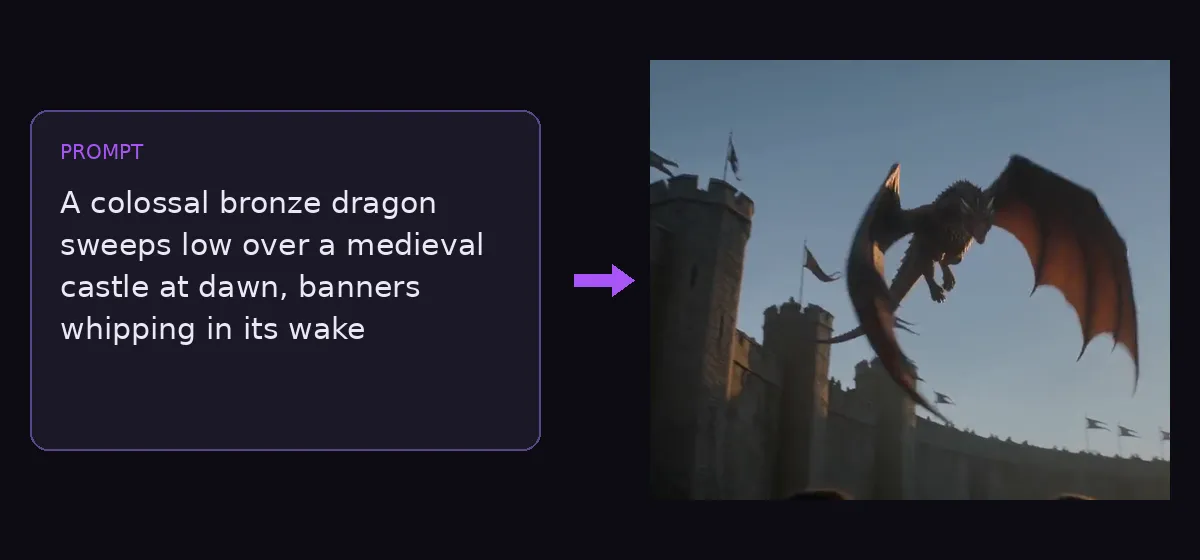
30+
AI video & image models in one studio
0
watermarks on any output
100%
failed generations auto-refunded
Modèles disponibles
Why use a text to video AI free without watermark?
Write a scene, get a finished clip — with synchronized sound and nothing stamped on top of it. CreateGlow is a text to video AI free without watermark: what the model renders is exactly what you download, at every tier. The studio runs the strongest generation models on one page: ByteDance’s Seedance 2.0 family (the audio-native storyteller behind countless viral shorts), Google’s Veo 3.1 in three price tiers, Kuaishou’s Kling 3.0 with native sound effects, Alibaba’s HappyHorse 1.1 and Wan 2.7 at true 1080p, and xAI’s Grok Imagine — the cheapest way on the market to draft video ideas, at 3 credits per second.
Each model has a personality, and picking the right one is half the craft. Seedance 2.0 is the all-rounder: coherent multi-shot storytelling, synchronized ambience and effects, every aspect ratio from vertical 9:16 Shorts to cinematic 21:9, and a Fast tier that costs 20% less while you iterate. Veo 3.1 produces the most cinematic single shots with native audio — and its Lite tier at 25 credits per 8-second 1080p video is arguably the best value in AI video today. Kling 3.0 shines with people and expressive motion, generating sound effects to match. HappyHorse 1.1 and Wan 2.7 render native 1080p with strong physical realism. Grok is for volume: at 3 credits per second you can storyboard ten ideas for the price of one premium render.
Length and format cover the practical range: 3 to 15 seconds on most models, up to 30 seconds on Grok, resolutions from fast 480p drafts to 1080p finals. Duration, aspect ratio and resolution are all selectable per generation — the credit price updates live as you change them, so there are never surprise charges. Everything is billed in transparent credits worth about one cent each, and failed generations are refunded automatically.
A proven workflow: draft on a cheap model, finish on a flagship. Write your prompt once, run it on Grok or a 480p Seedance Fast to check composition and motion, refine the wording, then rerun the winning prompt on Veo 3.1 or Seedance 2.0 at full resolution. Ten drafts plus one premium final typically costs less than two blind premium attempts — and produces a better video.
Prompting matters more in video than in images. The clips that go viral describe three things: the subject and setting (“a koi fish swimming in a clear pond, petals floating”), the camera (“slow overhead push-in”, “handheld follow shot”), and the mood or audio (“soft morning light, gentle water sounds”). Timeline scripts work too — several models here understand shot-by-shot direction like “[00:00-00:02] close-up hook, [00:02-00:05] wide reveal”, which is exactly how the 15-second beauty-vlog in our showcase was directed.
Comment ça marche
- 1
Describe the scene in the generator above: subject and setting first, then camera movement, then lighting, mood and any sound cues.
- 2
Pick a model for the job — Grok to draft cheaply, Seedance 2.0 for story and audio, Veo 3.1 for cinematic quality, Kling 3.0 for people.
- 3
Choose duration (3–30s depending on the model), aspect ratio (9:16 for Shorts and TikTok, 16:9 for YouTube) and resolution — the credit price updates as you select.
- 4
Hit Generate. Most clips finish in one to three minutes; the result appears right on the page with audio.
- 5
Iterate: tighten the prompt, or rerun the same prompt on a stronger model and compare.
- 6
Download in HD and post — or push the result into Video to Video for a restyle, or Video Extend to continue the story past the clip’s end.
Plus d'outils IA
From prompt to video — real outputs, no watermark
 RESULT
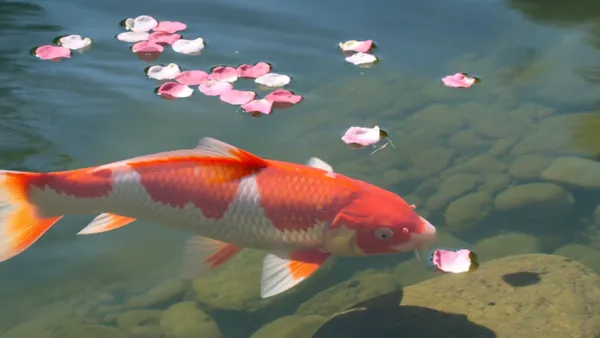
“A koi fish swimming in a clear pond, petals floating” — Kling 3.0, with native sound effects
 RESULT
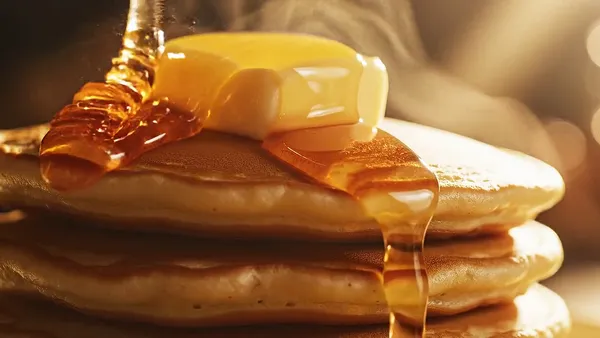
“Macro slow-motion of golden honey pouring onto pancakes, butter melting” — Veo 3.1 Fast, 8s with audio
 RESULT
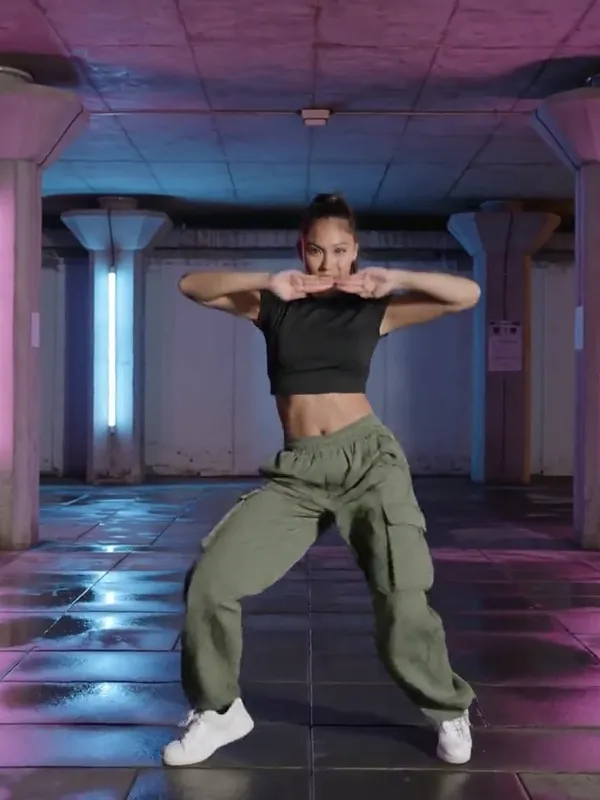
“A young woman dances sharp hip-hop choreography under a neon-lit underpass” — Kling 3.0, vertical 9:16
Questions fréquentes
Looking for another tool? Head back to the studio dashboard or browse all AI models.