STUDIO-MODUS

Text to Video AI Free — Without Watermark

Text to video AI free without watermark: type a prompt, get a video with audio from Seedance, Veo 3.1 or Kling 3.0. Free credits on signup, 100% yours.

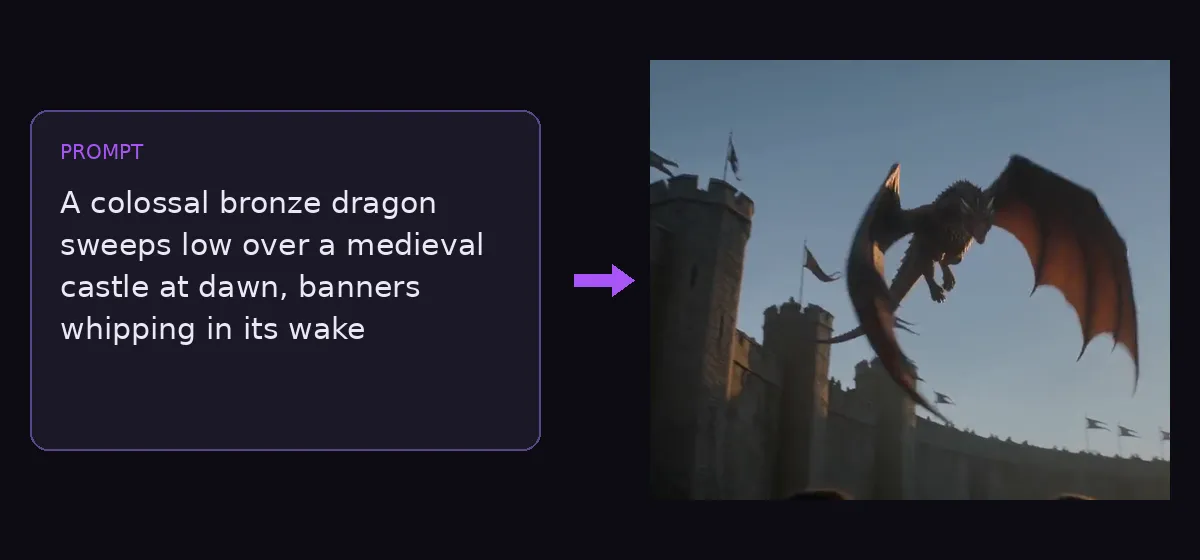
Text to video AI free without watermark example — a text prompt turned into a dragon flight video

Great quality at speed, with audio. Best default for effects.

Fehlgeschlagene Generierungen werden automatisch erstattet. Verwende nur Medien, an denen du die Rechte hast.

Dein Video erscheint hier.

30+

AI video & image models in one studio

0

watermarks on any output

100%

failed generations auto-refunded

Verfügbare Modelle

Seedance 2.0 Fast

best

Great quality at speed, with audio. Best default for effects.

165 credits · 5s

Seedance 2.0

Flagship quality up to 4K, native audio, 4–15s clips.

205 credits · 5s

Veo 3.1 Fast

new

Google's Veo 3.1 fast tier — native audio, reference-image support.

40 credits

Veo 3.1

Google's flagship Veo 3.1 Quality — top fidelity, native audio.

235 credits

Veo 3.1 Lite

Google video at pocket price — same engine, lite tier.

25 credits

Kling 3.0

new

Kuaishou flagship — pro 1080p with sound effects, 3–15s.

135 credits · 5s

HappyHorse 1.1

new

Cinematic realism at native 1080p, 3–15s clips.

145 credits · 5s

Grok Imagine Video

cheapest

xAI video with audio — up to 30s, unbeatable price.

18 credits · 6s

Grok Imagine 1.5

new

xAI’s next-gen video preview — sharper motion, still 3/s.

24 credits · 8s

Wan 2.7

Alibaba’s newest — native 1080p with audio, 2–15s clips.

120 credits · 5s

Why use a text to video AI free without watermark?

Write a scene, get a finished clip — with synchronized sound and nothing stamped on top of it. CreateGlow is a text to video AI free without watermark: what the model renders is exactly what you download, at every tier. The studio runs the strongest generation models on one page: ByteDance’s Seedance 2.0 family (the audio-native storyteller behind countless viral shorts), Google’s Veo 3.1 in three price tiers, Kuaishou’s Kling 3.0 with native sound effects, Alibaba’s HappyHorse 1.1 and Wan 2.7 at true 1080p, and xAI’s Grok Imagine — the cheapest way on the market to draft video ideas, at 3 credits per second.

Each model has a personality, and picking the right one is half the craft. Seedance 2.0 is the all-rounder: coherent multi-shot storytelling, synchronized ambience and effects, every aspect ratio from vertical 9:16 Shorts to cinematic 21:9, and a Fast tier that costs 20% less while you iterate. Veo 3.1 produces the most cinematic single shots with native audio — and its Lite tier at 25 credits per 8-second 1080p video is arguably the best value in AI video today. Kling 3.0 shines with people and expressive motion, generating sound effects to match. HappyHorse 1.1 and Wan 2.7 render native 1080p with strong physical realism. Grok is for volume: at 3 credits per second you can storyboard ten ideas for the price of one premium render.

Length and format cover the practical range: 3 to 15 seconds on most models, up to 30 seconds on Grok, resolutions from fast 480p drafts to 1080p finals. Duration, aspect ratio and resolution are all selectable per generation — the credit price updates live as you change them, so there are never surprise charges. Everything is billed in transparent credits worth about one cent each, and failed generations are refunded automatically.

A proven workflow: draft on a cheap model, finish on a flagship. Write your prompt once, run it on Grok or a 480p Seedance Fast to check composition and motion, refine the wording, then rerun the winning prompt on Veo 3.1 or Seedance 2.0 at full resolution. Ten drafts plus one premium final typically costs less than two blind premium attempts — and produces a better video.

Prompting matters more in video than in images. The clips that go viral describe three things: the subject and setting (“a koi fish swimming in a clear pond, petals floating”), the camera (“slow overhead push-in”, “handheld follow shot”), and the mood or audio (“soft morning light, gentle water sounds”). Timeline scripts work too — several models here understand shot-by-shot direction like “[00:00-00:02] close-up hook, [00:02-00:05] wide reveal”, which is exactly how the 15-second beauty-vlog in our showcase was directed.

So funktioniert's

  1. 1

    Describe the scene in the generator above: subject and setting first, then camera movement, then lighting, mood and any sound cues.

  2. 2

    Pick a model for the job — Grok to draft cheaply, Seedance 2.0 for story and audio, Veo 3.1 for cinematic quality, Kling 3.0 for people.

  3. 3

    Choose duration (3–30s depending on the model), aspect ratio (9:16 for Shorts and TikTok, 16:9 for YouTube) and resolution — the credit price updates as you select.

  4. 4

    Hit Generate. Most clips finish in one to three minutes; the result appears right on the page with audio.

  5. 5

    Iterate: tighten the prompt, or rerun the same prompt on a stronger model and compare.

  6. 6

    Download in HD and post — or push the result into Video to Video for a restyle, or Video Extend to continue the story past the clip’s end.

Weitere KI-Tools

From prompt to video — real outputs, no watermark
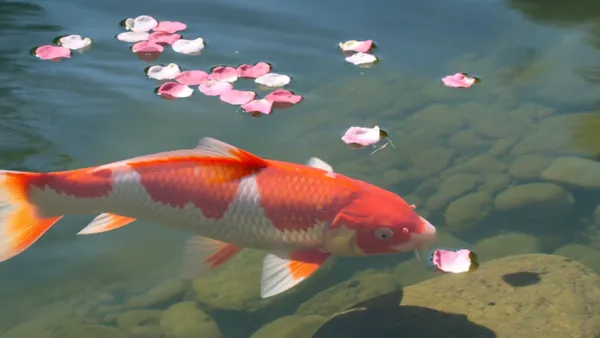
Text to video AI free without watermark example — koi fish pond video generated by Kling 3.0RESULT

“A koi fish swimming in a clear pond, petals floating” — Kling 3.0, with native sound effects
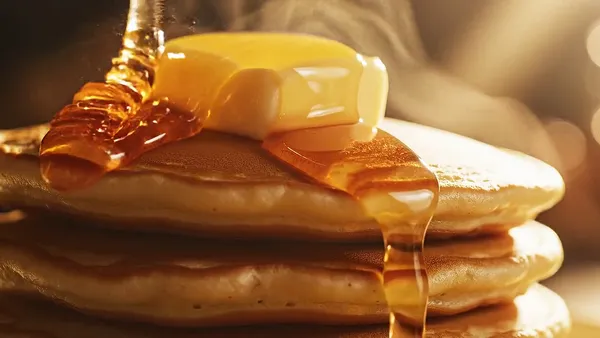
Text to video AI free without watermark example — honey pouring over pancakes, food macro by Veo 3.1 FastRESULT

“Macro slow-motion of golden honey pouring onto pancakes, butter melting” — Veo 3.1 Fast, 8s with audio
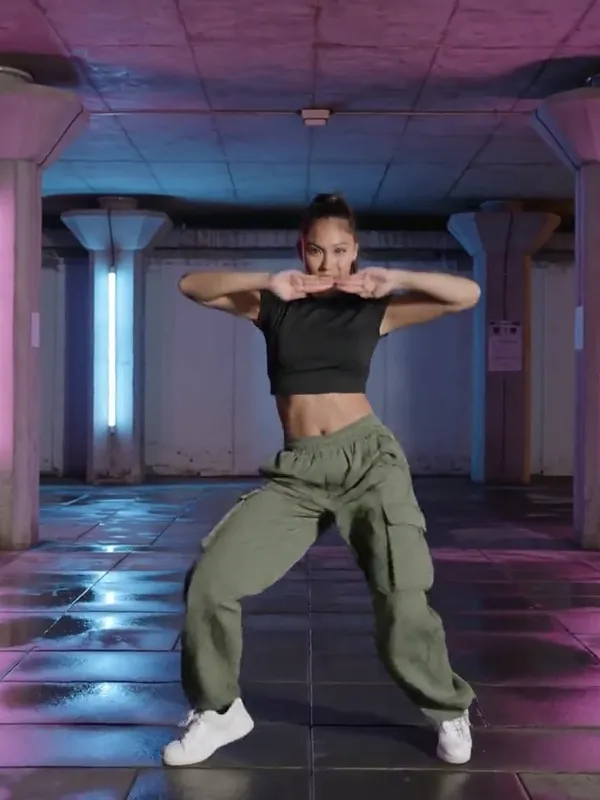
Text to video AI free without watermark example — hip-hop dancer under neon lights by Kling 3.0RESULT

“A young woman dances sharp hip-hop choreography under a neon-lit underpass” — Kling 3.0, vertical 9:16

Häufige Fragen
Which text-to-video model is best?

There is no single winner — that’s why CreateGlow runs them side by side. Seedance 2.0 is the best all-rounder with audio and multi-shot coherence. Veo 3.1 wins pure cinematic quality per shot. Kling 3.0 is strongest with human motion and expressions. Grok is unbeatable on price for drafts. Wan 2.7 and HappyHorse deliver native 1080p realism.

Do the videos have sound?

Yes — Seedance, Veo 3.1, Kling 3.0 and Wan 2.7 all generate audio natively: ambience, sound effects and music-like beds synchronized to the visuals. No separate audio step is needed.

Is there a free AI video generator here?

Signup credits are free and enough for several real videos — for example three 8-second Veo 3.1 Lite clips at 1080p, or a long Grok draft. No credit card is required to start.

How long can the videos be?

Per generation: 3–15 seconds on Seedance, Kling, HappyHorse and Wan; 4–8 seconds on Veo 3.1; up to 30 seconds on Grok Imagine. For longer stories, generate scene by scene and use Video Extend to continue a clip.

What resolutions are supported?

Selectable per model: 480p for cheap drafts, 720p as the sweet spot, native 1080p on Veo 3.1, Kling 3.0, HappyHorse, Wan 2.7 and Seedance 2.0. Higher resolutions cost proportionally more credits, and the price is always shown before you generate.

How much does a video cost?

Examples at real prices: a 6-second Grok draft is 18 credits (~$0.18), an 8-second Veo 3.1 Lite at 1080p is 25, an 8-second Veo 3.1 Fast is 40, a 5-second Kling 3.0 with sound is 135, a 5-second Seedance 2.0 Fast is 165. Credits are about one cent each and failures are refunded.

Can I write a shot-by-shot script?

Yes. Seedance 2.0 and Kling 3.0 respond well to timeline-style prompts with timestamps, shot descriptions and audio cues — that’s how the 15-second beauty-vlog in our showcase was generated.

Can I make vertical video for TikTok and Shorts?

Every video model here supports 9:16 vertical natively — no cropping. 1:1 and cinematic 21:9 are also available on Seedance.

Can I use the videos commercially?

Yes, generated videos are yours to use, including commercially. You are responsible for your prompts and for respecting third-party rights.

Text to video vs image to video — which should I use?

Text to video when you want the model to invent the whole scene; image to video when you already have the exact starting frame (a product shot, a portrait, a generated image) and want it animated. On CreateGlow you can chain them: generate an image with Nano Banana, then animate it.

Is there really no watermark?

Really. Every video downloads clean — no corner logo, no outro card, no “made with” bug, at every resolution. That includes free-credit generations, which is what makes this a true text to video AI free without watermark rather than a free trial with branding.

Who owns the copyright to the videos?

You do — 100%. Videos you generate are yours to keep, edit, monetize and publish anywhere, including YouTube, TikTok and client work. CreateGlow claims no rights over your outputs; you are only responsible for your prompts respecting third-party rights.

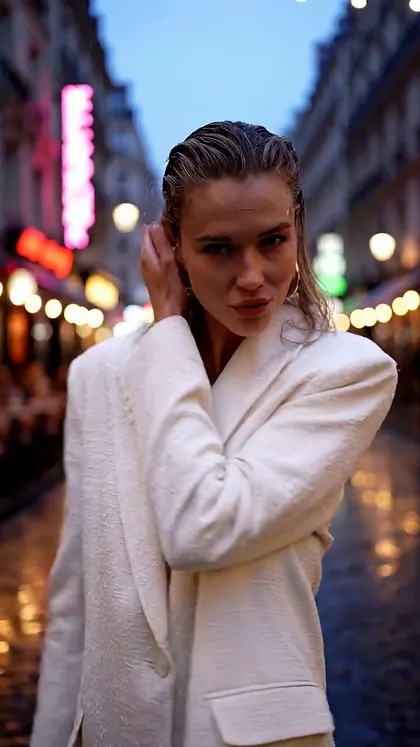
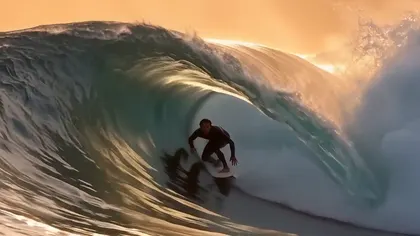
Text to video AI free without watermark — surfer inside a barrel wave, Wan 2.7Text to video AI free without watermark — sneaker commercial with paint splashes, Kling 3.0Text to video AI free without watermark — jellyfish ballet in deep ocean light, Grok ImagineText to video AI free without watermark — woman walking a rainy Paris street, Veo 3.1 Fast

Looking for another tool? Head back to the studio dashboard or browse all AI models.